Oniric V2.3.0 Glow Generator for Photoshop

Original price was: 29.99$.3.99$Current price is: 3.99$.
- INR: ₹380.56
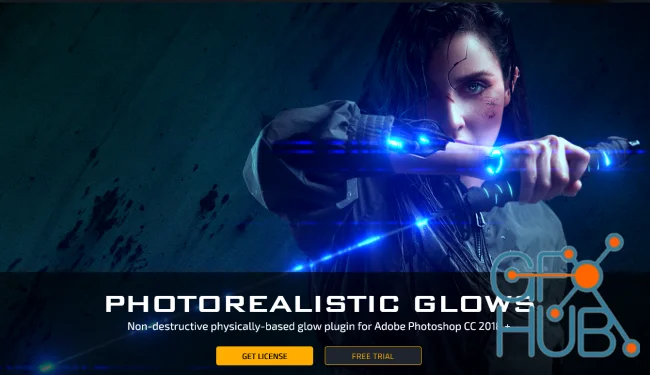
Generate photorealistic glow, bloom, and volumetric lighting rays directly inside Adobe Photoshop with the rebuilt UXP version of Oniric.
Please read the included installation guide for setup. For refund inquiries, please review our Refund Policy.
ONIRIC v2.3.0
Non-destructive photorealistic glow, bloom, and volumetric rays generator plugin for Adobe Photoshop
Important Version Information
Please note that this is not the official Oniric release from Composite Nation. This is a modified version of the plugin. However, it is fully functional, pre-activated, and functions identically to the original release, allowing you to load presets, adjust sliders, and render glow elements without licensing limitations.
Photoshop CC 2018 – 2025+
Windows & macOS (M-Chips Native)
UXP (Modern) + CEP (Legacy)
Pre-activated (Fully Functional)
Product Overview
Oniric v2.3.0 is a professional-grade, non-destructive lighting and glow plugin rebuilt entirely on Adobe’s modern UXP plugin framework. It provides photographers, retouchers, and CGI artists with a mathematically precise, physically based glow falloff engine. Unlike standard Photoshop blur filters, Oniric mimics real-world camera lens reactions to highlights, producing photorealistic bloom, anamorphic lens flares, and volumetric lighting.
Package Contents
Upon purchase, you will receive a ZIP archive containing the following files and folders:
ONIRIC_v2.3.0(Core UXP Plugin Folder):index.js/manifest.json: Core execution logic and configurations.abr/: Custom factory brushes for glow masking.assets//icons/: Interface assets and layout files.snd/: Sound effect files.changelog.txt/str.json: Version notes and string localizations.
[Tutorial] How to install.txt: Clean, step-by-step setup walkthrough.
Simple Installation Steps
This modified version does not require licensing configuration. Simply follow these steps to load it into Photoshop:
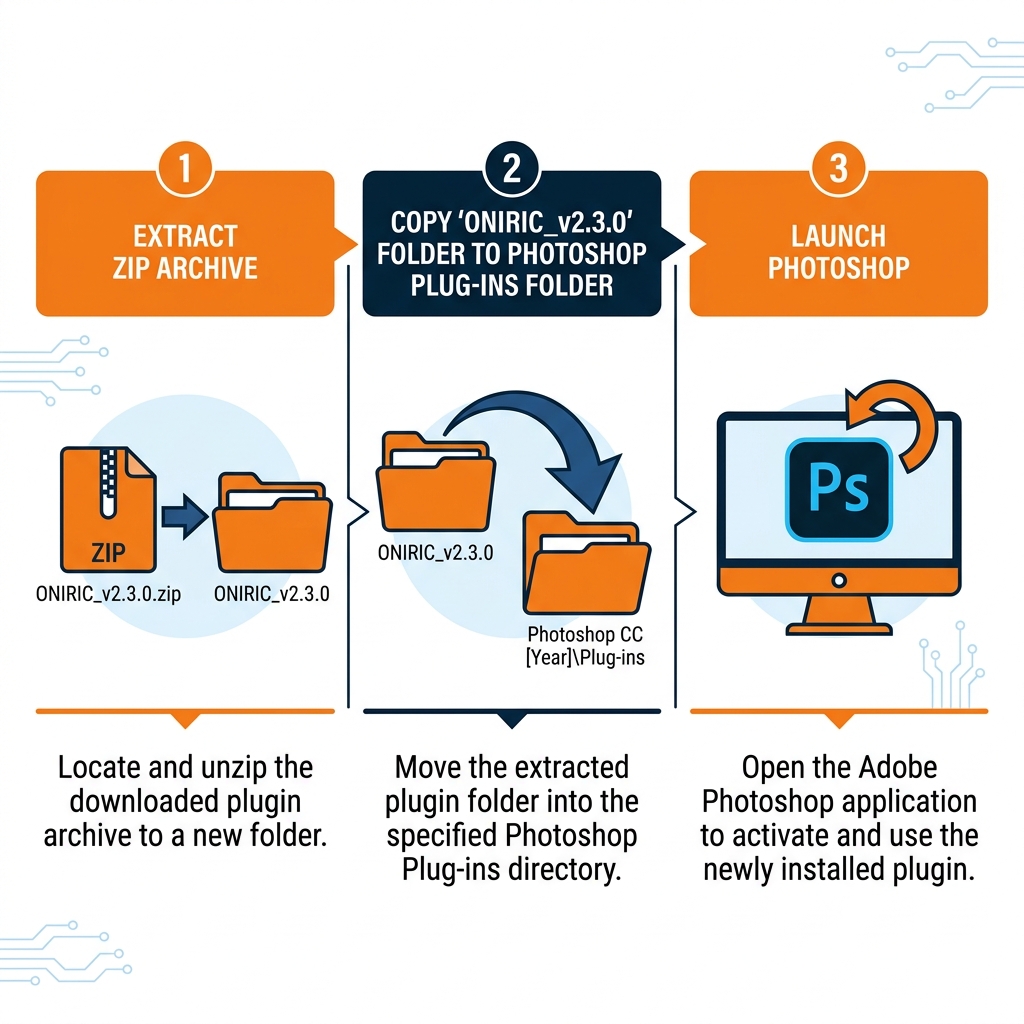
- Extract the downloaded ZIP package.
- Copy the extracted
ONIRIC_v2.3.0folder directly into your Photoshop Plug-ins directory:
C:\Program Files\Adobe\Adobe Photoshop 2025\Plug-ins
*(Note: Replace “Adobe Photoshop 2025” in the path with your actual installed Photoshop version folder. For macOS, move it to the corresponding /Applications/Adobe Photoshop/Plug-ins directory)*
- Ensure all subfolders (
abr,assets,icons,snd) remain intact inside theONIRIC_v2.3.0folder. - Launch or restart Photoshop. The plugin will be active and available under the Plugins menu.
System Requirements & Compatibility
Photoshop Version Support
Adobe Photoshop CC 2021 to 2025+ (Fully Supported)
Operating System Support
Windows 10/11 & macOS (Intel & Apple Silicon M1/M2/M3 Native)
Plugin Architecture
Adobe UXP (Unified Extensibility Platform) Engine
Advanced Feature Engine (v2.3.0 Improvements)
Physically-Based Glow & Speed Boost
The glow algorithm features physically-based falloff to create softer, photorealistic light scattering. Element saving speeds are optimized via updated rendering logic, cutting preview times significantly. Rendering is heavily optimized for Apple Silicon (M1/M2/M3) and modern Windows multicore processors.
Exponential Tone Mapping & 32-Bit Support
Includes a built-in Tone Mapping panel. Utilizing an Exponential Photographic Response algorithm, it maps HDR colors into a perceptually uniform, display-referred range. It reduces color banding and preserves fine details in extreme highlights and deep shadows. The helper switch lets you process 32-bit glows directly in a 32-bit workspace for richer chroma and seamless light falloff.
Volumetric Rays & Multi-Sided Glare
Add volumetric light rays from a defined center point using the Oniric Rays engine. Glare features a dedicated controls panel with support for 2, 4, or 6 sides. You can customize Glare Sharpness and Glare Gamma, and choose between Linear Dodge or Color Dodge blend modes to create custom anamorphic lens flare effects.
Precision Mask Builder & XRay Preview
The Mask Builder (formerly Channels) allows you to generate alpha masks using luminance or transparency data. Generate custom outlines on your masks using the Outline button, or use the Select Range eyedropper to target specific color gamuts. The XRay view provides a heat-map overlay to visualize and fine-tune threshold and dynamic range compression settings in real-time.
UX Enhancements
Compact, resizable UI featuring hover tooltips, right-click slider resets, and UI language support. Values altered from factory defaults automatically change to green so you can easily see what settings have been modified.
Frequently Asked Questions
Does this plugin support Apple Silicon (M1/M2/M3) natively?
Do I need to enter a license key or activate the plugin?
What is the difference between Oniric CEP (v2.0) and Oniric UXP (v2.3.0)?
Will I get a download link immediately after purchase?

Original price was: 29.99$.3.99$Current price is: 3.99$.
- INR: ₹380.56